Book cover and booklet templates
Make a strong statement right from the start by giving your book the perfect cover. You'll get a customized book cover layout template based on your book's specs — like trim size, page count, paper stock, and cover style — after you've saved a quote. If you know your book's trim size, you can download interior page templates below to streamline your digital book design and layout process.
Book design templates
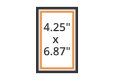
Pocket Book
4.25" x 6.87"
This size is a common choice for fiction novels. It's a compact, easily portable option. The most-popular paper stock selection is our 60lb natural with black-and-white text printing and perfect binding.
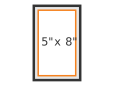
Novella
5" x 8"
This book size is a common choice for short-form fiction books. It's a compact, versatile option for a wide range of book genres.
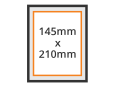
A5
5.8" x 8.3"
(148mm x 210mm)
This is a widely used international standard, similar to U.S. Digest size. Works well for fiction, nonfiction, and poetry books. It's an ideal choice for the perfect binding style and is complemented by any paper stock option.
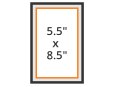
Digest
5.5" x 8.5"
This book format works well for fiction, nonfiction, and poetry books. It's an ideal choice for the perfect binding style and is complemented by any paper stock option.
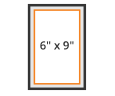
U.S. Trade
6" x 9"
U.S. Trade book layouts are a popular selection for sporting books and other non-fiction titles.
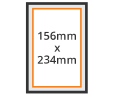
U.K. Royal
6.14" x 9.21"
(156mm x 234mm)
Similar to U.S. Trade, this size is well suited for fiction and nonfiction in both hardcover and softcover
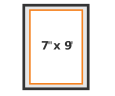
Medium Trade
7" x 9"
This size is ideal for nonfiction books, such as business, biography, and self-help. Commonly printed in hardcover, but works well with all options.
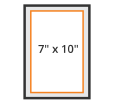
Executive
7" x 10"
This book format works well for journals, textbooks, art books, cookbooks, and other styles that thrive on that little bit of extra space.
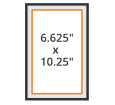
Comic Book
6.625" x 10.25"
This classic, compact size is great for comic books, magazines, and children's books. It'll work with a low-page count project as well as a high-page count book with color printing.
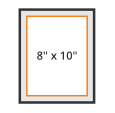
Portrait
8" x 10"
This book format is an ideal size for family history books, journals, children's books, workbooks, and wedding books.
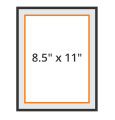
U.S. Letter
8.5" x 11"
This size is an excellent choice for textbooks, yearbooks, photography books, children's books, training manuals, cookbooks, and religious publications. It works well with all book binding styles and paper stock options.
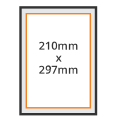
A4
8.3" x 11.7"
(210mm x 297mm)
This is a widely used international standard, similar to U.S. Letter size, ideal for textbooks, journals, training manuals, cookbooks, and religious publications. It works well with all book binding styles and paper stock options.
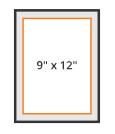
Large Portrait
9" x 12"
This book and paper size works well for tabletop art and photo books or magazines. It's also a popular choice for yearbooks.
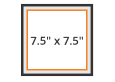
Small Square
7.5" x 7.5"
This book format is a popular option for many book types, including fiction, nonfiction, photography books, children's books, and cookbooks. It pairs well with all paper stock options.
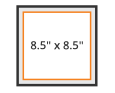
Square
8.5" x 8.5"
This size works well for large-format fiction, nonfiction, photography books, children's books, and cookbooks. It pairs well with all paper stock options.
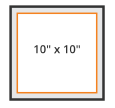
Large Square
10" x 10"
This size is perfect for coffee table art and photography books, as well as large-format children's books and cookbooks.
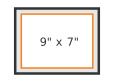
Landscape
9" x 7"
This book format makes for beautiful art, photography, and children's books. It's a popular option for case-bound binding with color-text printing on gloss paper stock.
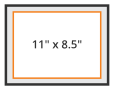
U.S. Letter Landscape
11" x 8.5"
This book format makes for beautiful art, photography, and children's books. It's a popular option for case-bound binding with color-text printing on gloss paper stock.
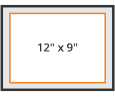
Large Landscape
12" x 9"
This book format makes for beautiful art, photography, and children's books. It's a great fit for color-text printing on gloss paper stock.
Using our free book templates
Free book template specifications:
- We offer book templates for use with the following design programs: Adobe InDesign and Microsoft Word
- All text files must be submitted in our book layout templates
- Save black-and-white images in grayscale color mode
- Remove the book template guidelines before saving and uploading the final PDF design
- All fonts must be embedded
- For the majority of our trim sizes we recommend left and right margins no less than 7/8" (0.875"). The page bleed is 1/8". To see which margins are recommended for your trim size, download and open your template.
- In Microsoft Word, if you're copying and pasting text from another Word document into our Word book template page, be sure to use Word's 'paste special' command instead of the default 'paste' command. Using the default 'paste' command will change the size of the destination page to the size of your source page.
Export settings for PDFs
- Finished text files must be submitted in PDF format
- When exporting your final PDF for submission, we recommend exporting your PDFs using the PDF/X-4 preset available in every layout application.
- If you have files that are set to a trim size that is not included in our standard layout templates listed on this page, please contact our Print Specialists for a custom quote
- The book templates listed on this page represent our standard trim sizes. We do print and bind most trim sizes in both softcover (paperback) and hardcover (casebound) formats. If you're in need of cover design or interior formatting for your book, check out our book design services.
Frequently asked questions
Can I use Adobe InDesign files to format a digital eBook layout?
Yes, creators can utilize professional Adobe InDesign environments to generate both physical print documentation and fluid digital ebook files from a single master project workspace. When compiling your text elements, ensure you map your paragraph styles to clean structural tags to preserve text hierarchies during digital distribution conversions. Our downloadable blueprint documents configure the proper background trim margins, safety perimeters, and export options inside your local design software seamlessly. Utilizing these technical files prevents text elements from shifting awkwardly across digital reader screens, saving independent authors extensive troubleshooting time during validation phases.
What are the benefits of using a minimalist style for book layout design?
Implementing a completely minimalist approach to interior layout planning allows your primary narrative to remain the central focus for readers. Clean margins, expansive whitespace, and restrained typography choices ensure that long-form literary novels or poetry collections provide an excellent, comfortable reading experience. Our structured layout frameworks provide explicit grid calculations that maintain consistent vertical tracking across all printing blocks automatically. Restricting complex design elements keeps your digital files lightweight and ensures your physical print proof looks completely balanced, elegant, and modern on bookstore display tables without requiring expensive custom graphic engineering.
How do I preserve text formatting when using MS Word booklet templates?
To protect your structural text formatting inside MS Word workspaces, authors must use the dedicated paste special function when importing external manuscript strings. Standard word processing files carry hidden styling data that can accidentally alter your canvas size, grid parameters, or paragraph alignments. Downloading our free booklet templates provides a stable geometric framework engineered precisely for our commercial press lines. Keeping your content restricted within these predefined guidelines ensures your gutters remain deep enough to accommodate heavy softcover adhesives or hardcover binding threads without swallowing important text fields during assembly.
Why must I remove template guidelines before exporting my final PDF?
You must thoroughly strip away all technical guideline indicators from your digital canvas before generating your final print-ready document. These colorful boundary markers exist solely inside your local layout dashboard to guide text placement, margin checks, and bleed validation steps. If left active when exporting via InDesign presets, the commercial press machinery will treat those structural lines as printable graphic assets, embedding them permanently across your finished book pages. Verifying that these guide layers are hidden ensures a clean, flawless production run that preserves your creative aesthetic beautifully. (103 words)
What margin depth avoids clipping text on standard trade paperback novels?
For standard trade paperback fiction layouts, we strictly recommend utilizing internal safety margins extending no less than 7/8 inch from the trim perimeter. This protective spacing buffer prevents your reading text from sinking too deeply into the physical binding crease when the spine is glued shut. Our downloadable free templates arrive with pre-configured margin lines tailored exactly to individual trim sizes, allowing creators to view the safe live design area clearly. Adhering to these dimension limits keeps your text blocks readable and prevents letters from getting cut off during automated cutting phases.
How does paper stock selection impact my final book cover template?
Your chosen paper stock thickness directly determines the final width of your book spine, impacting your entire cover layout configuration. Thicker opaque papers expand the binding area, requiring a wider center spine allowance across your structural design canvas. Our automated layout tool generates a custom file based on your precise page count and materials list, ensuring your artwork wraps perfectly around the physical book. Accessing these updated dimension blueprints before finalizing your graphic files keeps spine titles centered cleanly and prevents background elements from shifting onto the front cover during assembly.
Can I use low-resolution images for high-quality printing projects?
No, utilizing low-resolution graphics will result in highly pixelated, blurry imagery across your finalized physical print items or digital ebook displays. All embedded photography, illustrations, and background assets must maintain a minimum resolution of 300 DPI to print crisply on our dry toner ink presses. Images sourced from standard web pages are constrained to a low 72 DPI, which cannot scale cleanly to meet professional commercial criteria. Checking your resource links and preserving a high pixel density across your design canvas guarantees sharp details and professional results for every genre.
What color mode prevents distortion on black-and-white graphics?
To prevent unexpected color shifting or muddy tones on monochrome artwork, creators must convert all black-and-white images into a true grayscale color profile. Leaving interior illustrations or archive photos in standard color modes causes color separation issues, which can result in a distinct, unappealing tint on your final book pages. Our automated file check scans your uploaded document structures to identify any improper profile configurations before processing begins. Adjusting your asset properties directly within your design applications guarantees crisp dark tones, clean highlights, and highly predictable rendering performance across our press lines.
Reach out to us for all of your book template-related inquiries
Our knowledgeable Print Specialists are ready to answer all your book printing questions
Call 866-285-3155
Monday - Friday from 9 a.m. to 8 p.m. ET
info@onpressbookprinting.com